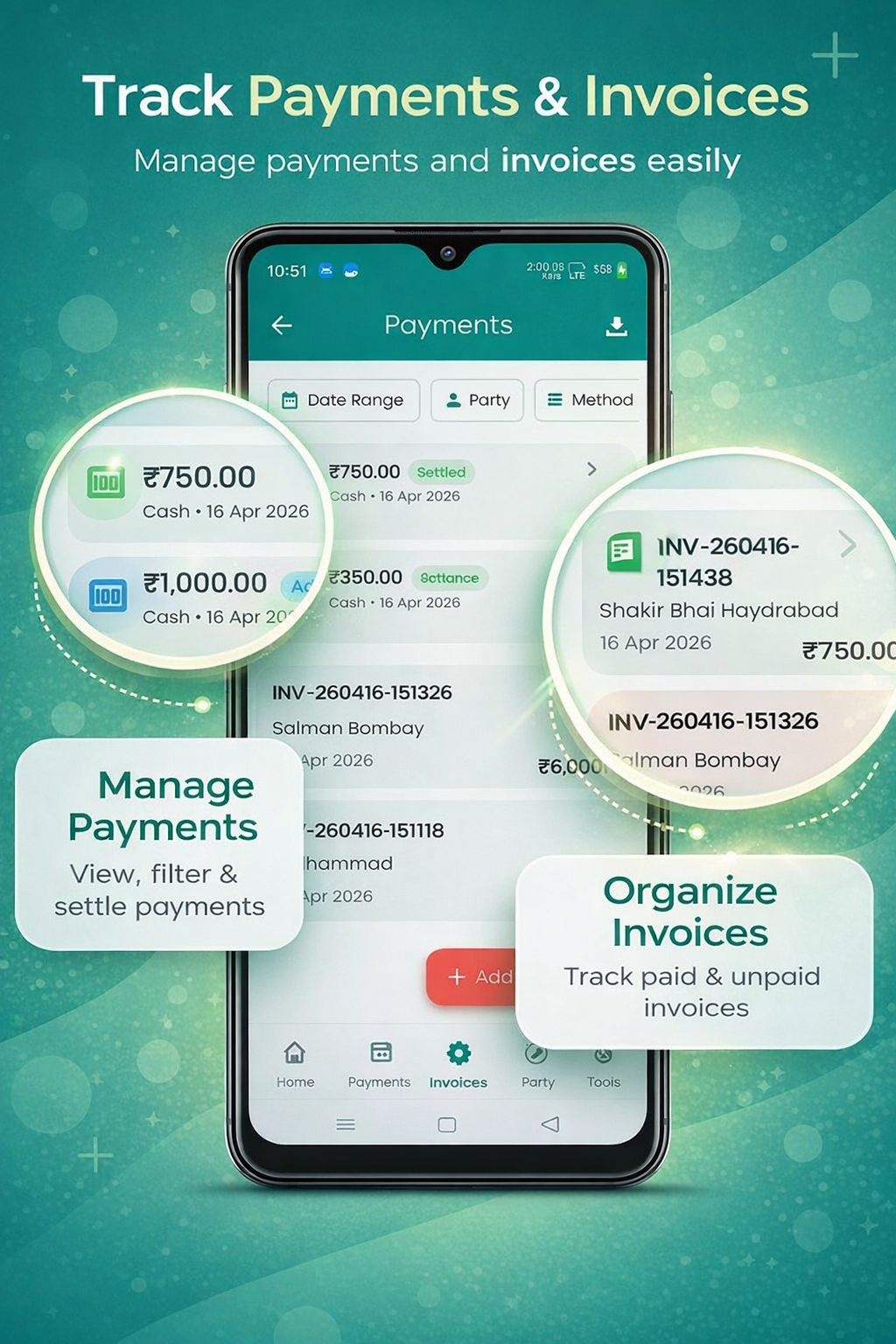
Record a new payment
Open Payments from the More menu, tap +. You can record:
- Payment received — money coming in from a customer
- Payment made — money going out to a supplier
Choose direction (received / made)
This decides how it impacts your account balance.
Pick the party
The same party list as your cashbook and invoices.
Type the amount
Calculator is built-in.
Choose payment method & account
Cash, UPI, Bank Transfer, Card or Cheque — and which Cash/Bank account it goes through.
Add reference & notes
UTR number, cheque number — anything that helps reconciliation.
Voice entry — talk to fill the form v3
Tap the microphone in the Add Payment app bar and just speak. The app parses your sentence and fills the right fields.
- Try: "Anas paid 100 rupees" · "Sent 250 to Mehul on UPI" · "Received 500 cash from Ravi"
- Hindi: "अनस ने 100 रुपए दिए" · Gujarati: "મેહુલને 250 UPI થી મોકલ્યા" · Urdu: "انس نے 100 روپے دیے"
- Auto-fills amount, payment method (Cash / UPI / Bank Transfer / Card / Cheque) and tries to match a party by name
- If the spoken name doesn't match an existing party, the app shows a hint so you can pick or create one
- Listens for up to 20 seconds with one quiet auto-retry on silence; falls back to English if your selected language returns nothing
- Free, on-device when supported by your phone — no API keys, no account
Misc / Counter cash payments v3
For cash drawer top-ups, anonymous receipts, or any standalone payment without a party, tick Misc / Counter cash on the Add Payment screen. The party picker disappears and the payment saves with no party link.
- Misc payments still hit your Cash / Bank account balance and the cashbook
- They never appear in any party ledger (because they have no party)
- They show up under Reports → Walk-in & Misc for the audit trail
- The dashboard shows a small Unassigned payments tile when any exist
- You can still link a misc payment to an invoice later — see below
Link a payment to an invoice
You don't have to link a payment immediately — you can record it as a standalone advance, and link it to an invoice later.
- Open the payment → tap Link to invoice
- Pick one or more unpaid / partially paid invoices for the same party
- Allocate full or partial amount per invoice
- Walk-in payment? v3 The settlement screen lists walk-in invoices first; flip the Show all parties switch to settle a counter-cash deposit against any party's outstanding invoice.
Settlement scenarios — both directions supported
One payment → many invoices
A single ₹50,000 received settles three invoices of ₹15k, ₹15k, ₹20k.
One invoice ← many payments
One ₹1L invoice settled with three weekly part-payments.
Standalone advance
Record now, link to a future invoice.
Mixed allocations
Allocate exact rupee amounts per invoice — no rounding surprises.
Cash & Bank accounts
Open Settings → Payment Accounts to manage your money sources:
- Cash account — there's always one default, you can rename it
- Bank accounts — add as many as you need (HDFC, SBI, ICICI…)
- Each account shows a live running balance based on every linked entry
Primary account & auto-pick
Mark one account as primary — new payments and entries default to it. You can override per entry.
Unlink & unsettle
If a settlement was wrong, you can:
- Unlink one settlement — keeps the payment, removes its link to one invoice
- Unsettle all — releases the payment back to standalone, frees the invoices
Account-wise reports
Open Reports → Account Report to see:
- Inflows / outflows for any account, any date range
- Per-method breakdown (UPI vs Cash vs Cheque)
- Per-party breakdown
- Export as PDF or Excel